Findings / UX-061
Three voice controls with no labels: the safe one and the send-as-is one sit side by side
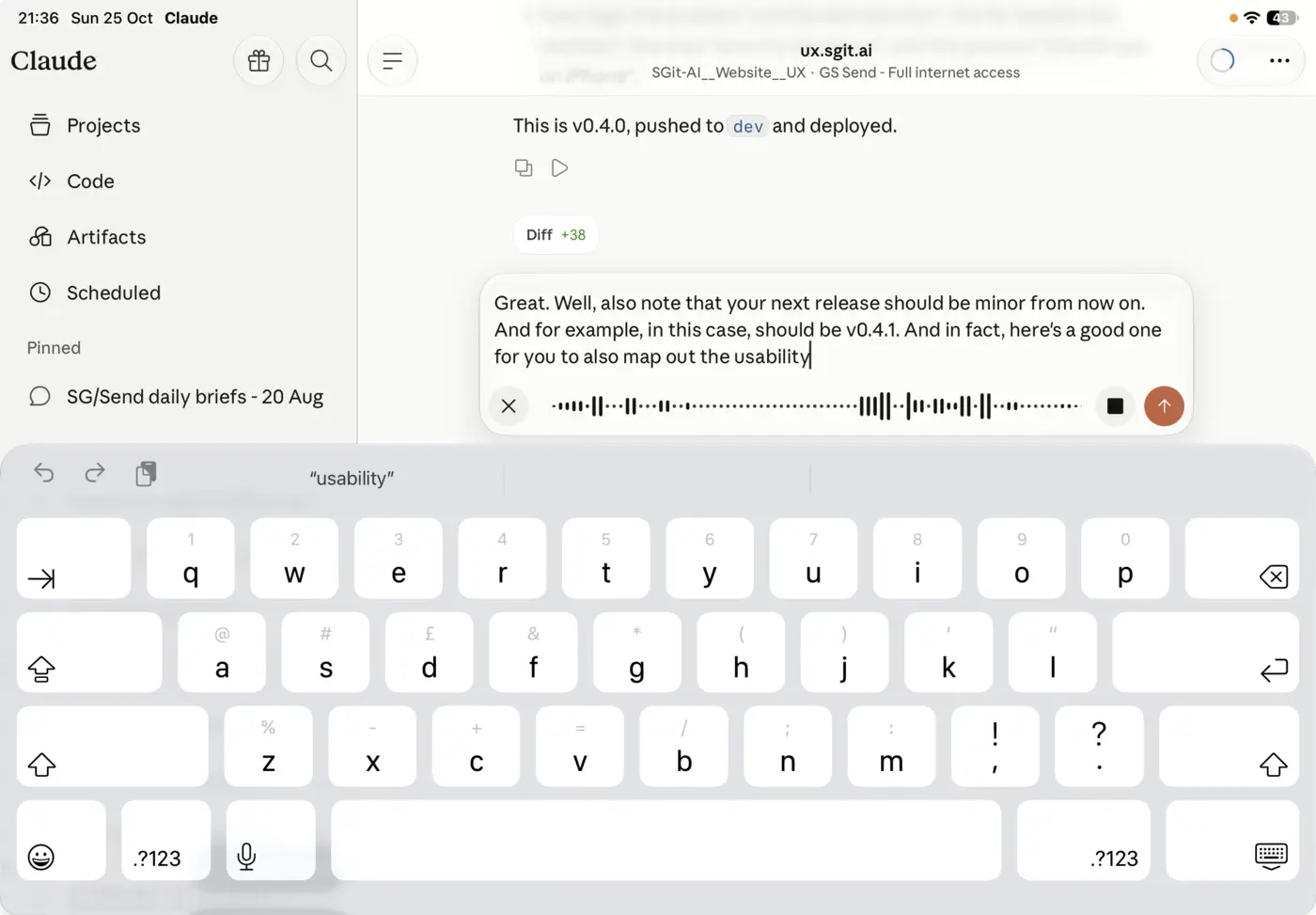
OpenMediumFailureClaude app (iPhone and iPad)
What we saw
Of the three buttons, the square is the one you usually want: it stops recording and puts the transcript in the box to correct, which dictated text nearly always needs. The up arrow, right next to it, sends the transcript as is, uncorrected. Nothing (label, tooltip, first-use hint) says which does what; the reporter learned all three by trial and error.
Why it matters
Every first use is a guess, and the guess has consequences: a wrong tap either destroys the recording (UX-060) or sends a message full of transcription errors to an agent that will act on it.
The fix
Label the buttons ("Discard", "Stop and edit", "Send"), at least until they have been used a few times. Make "Stop and edit" the visually primary action, and put space between it and "Send".
The record
| Status | Open |
| Severity | Medium |
| Kind | Failure: works against the reader |
| Product | Claude app (iPhone and iPad), app |
| Where | Message box, voice input |
| Problems | Unlabelled, Uninformed decision |
| Visibility | Obvious: every reader sees it, every time they reach that point |
| Recommendation | Say what it is: label it, in the reader's terms, at the moment it matters |
| Area | Input and dictation |
| Breaks | A decision comes with what you need to make it |
| Observed | 2026-10-25, not recorded |
| Last checked | 2026-10-25, not recorded |
| Environment | Claude app on iPad, landscape, dictating a message into a Claude Code session |
| Source | Reported by Dinis Cruz, 25 Oct 2026, by voice, with a screenshot |
Previous: UX-060 One unlabelled X throws away the whole recording, with no confirmation
Next: UX-062 The transcript is cleaned up in a second pass without saying when, or what changed