Findings / UX-058
Whether the toolbars hide depends on how fast you scroll, not how far
OpenMediumFailureFirefox on iPad
What we saw
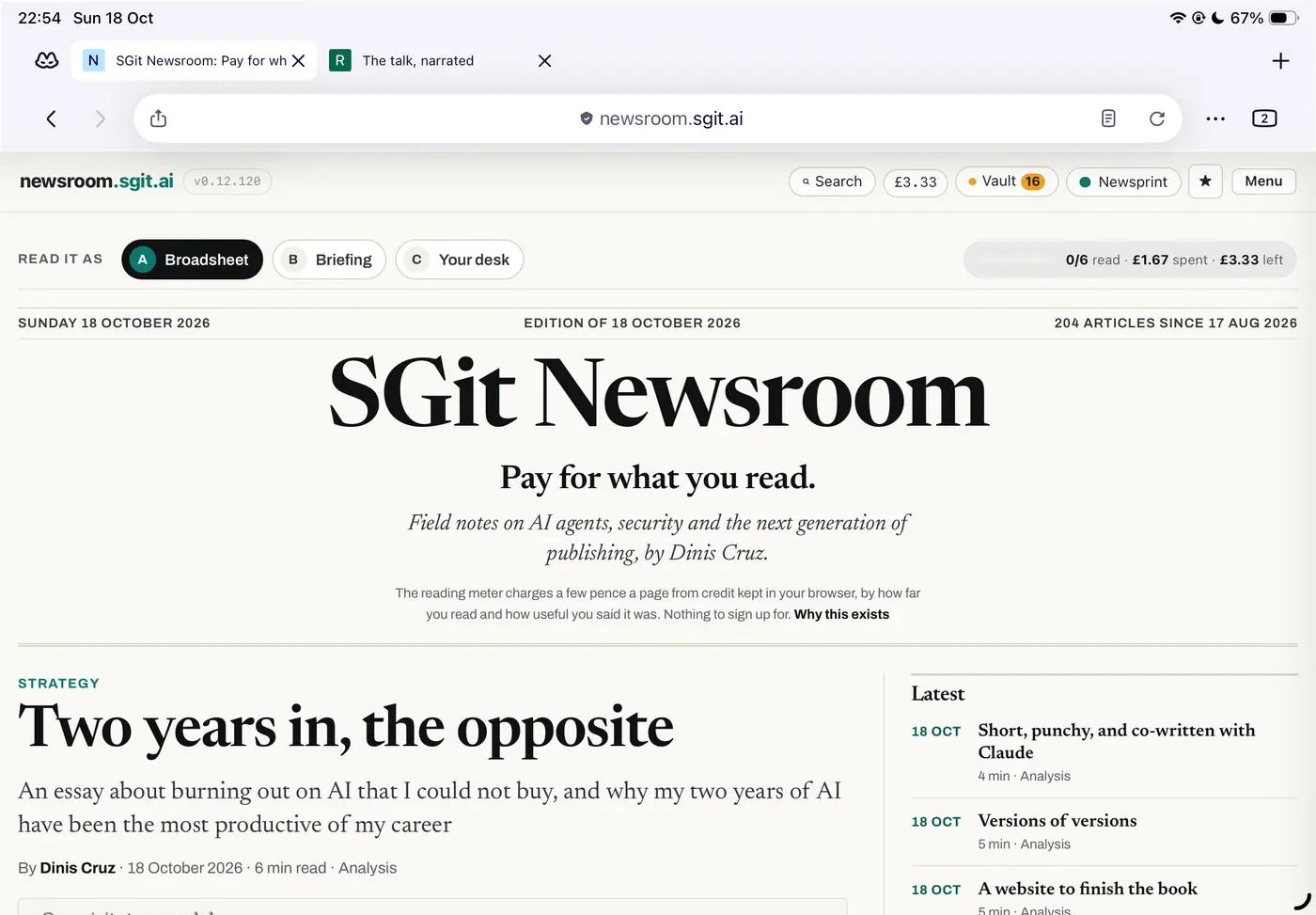
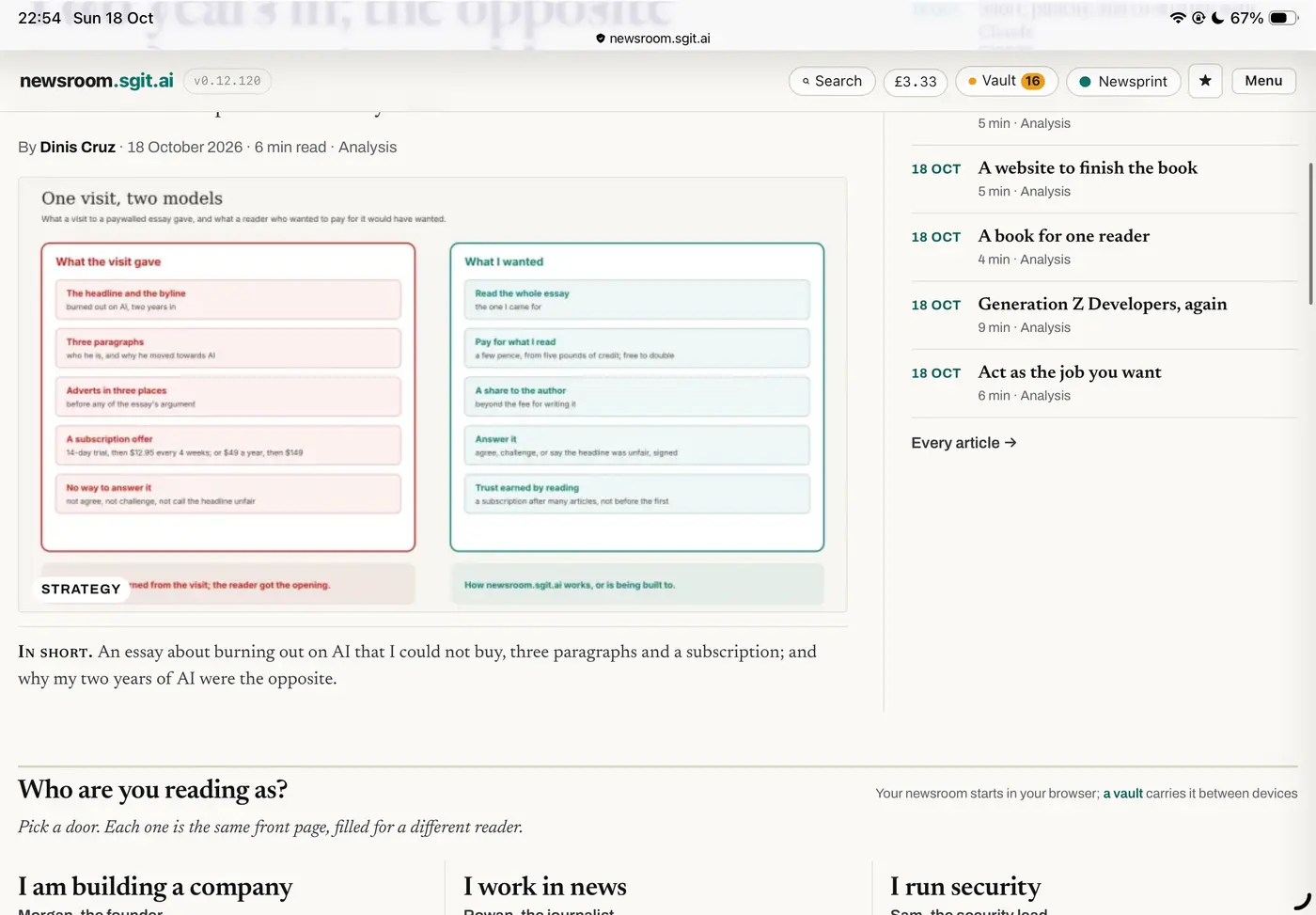
Dragging the page up slowly, by any distance, leaves the full toolbars in place: tab strip, address bar, about 230 px of a 1,640 px screen before the page starts (first screenshot). A flick hides them, leaving a thin address line (second screenshot), but a flick also scrolls the page by an amount the reader does not control, so it overshoots. Scrolling back to the place wanted risks the small upward scroll that brings the toolbars back (UX-057) and can focus the address bar (UX-056). It is hard to reproduce on demand because it depends on gesture speed.
Why it matters
The reader cannot ask for the state they want. To read with the toolbars hidden they have to flick, lose their place, find it again carefully, and hope the correction does not undo the result. Every attempt takes attention away from the text, which is the opposite of what hiding the toolbars is for.
The fix
For the browser: make the toolbar state depend on something the reader controls (distance scrolled, or a deliberate tap on the address line), the same every time, and offer a setting to keep the toolbars collapsed while reading. For the sites: nothing a page can do about the browser's chrome; keep our own sticky header small, since it is the part of the stack we own.
What good looks like: EX-001 Safari on iPad hides its toolbars the same way every time, after a small scroll.
The record
| Status | Open |
| Severity | Medium |
| Kind | Failure: works against the reader |
| Product | Firefox on iPad, browser |
| Where | https://newsroom.sgit.ai/ |
| Problems | Unpredictable control, Unexpected movement, Lost screen space |
| Visibility | Intermittent: some readers, some of the time: depends on a gesture, a device or a state, and is hard to reproduce on demand |
| Recommendation | Make it predictable: the same gesture always gives the same result, and the reader can set the state directly instead of coaxing it |
| Area | Navigation |
| Breaks | The same gesture gives the same result, so it can be learned |
| Observed | 2026-10-18, not recorded |
| Last checked | 2026-10-18, not recorded |
| Environment | Firefox for iOS on an iPad, landscape, on the newsroom.sgit.ai front page (newsroom v0.12.120) |
| Source | Reported by Dinis Cruz, 18 Oct 2026, with screenshots |
Previous: UX-057 The toolbars come back on any small scroll up, taking screen and moving the page
Next: UX-059 A security prompt that asks you to approve a command it does not explain, and cuts off