What good looks like / EX-001
Safari on iPad hides its toolbars the same way every time, after a small scroll
What it does
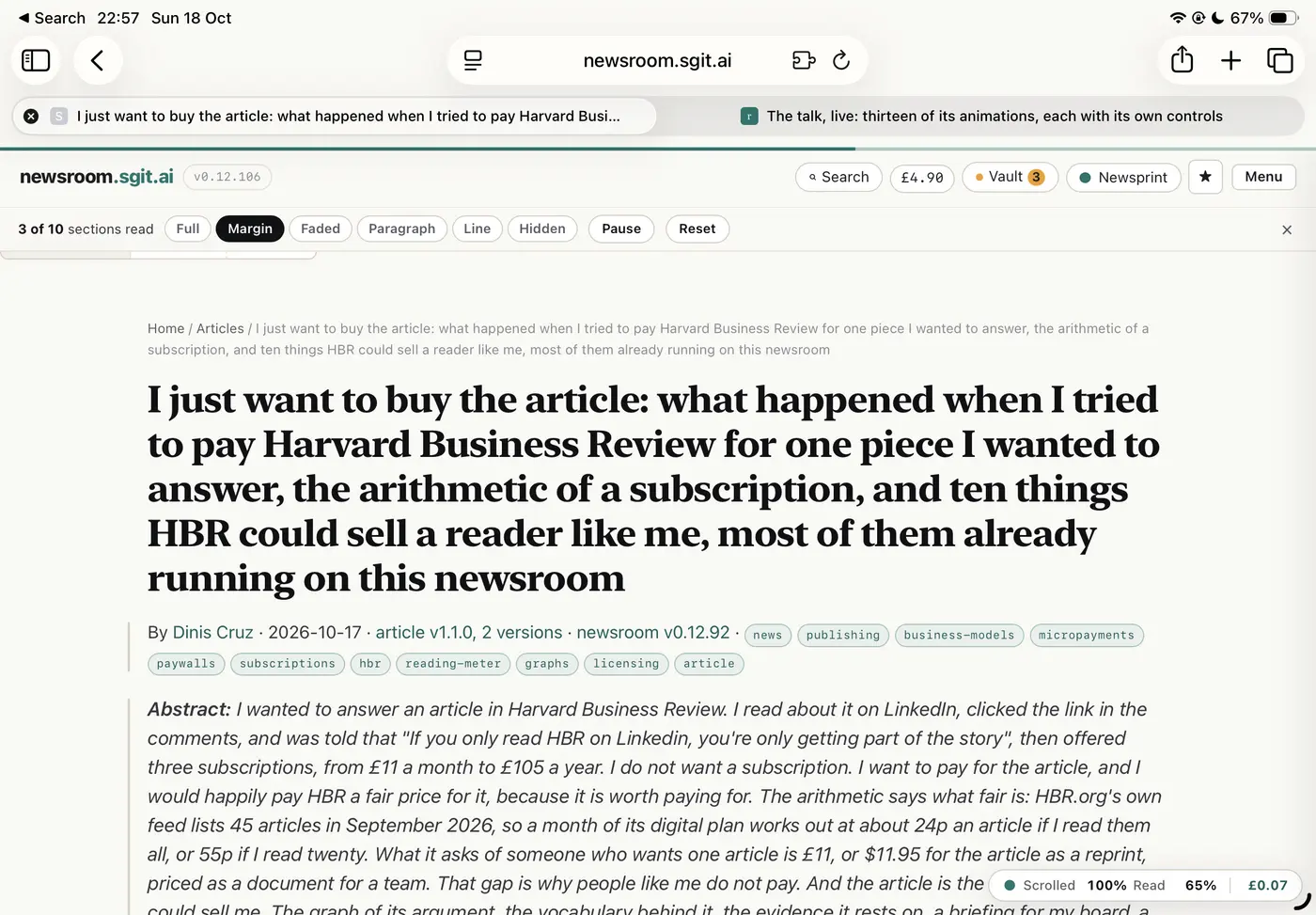
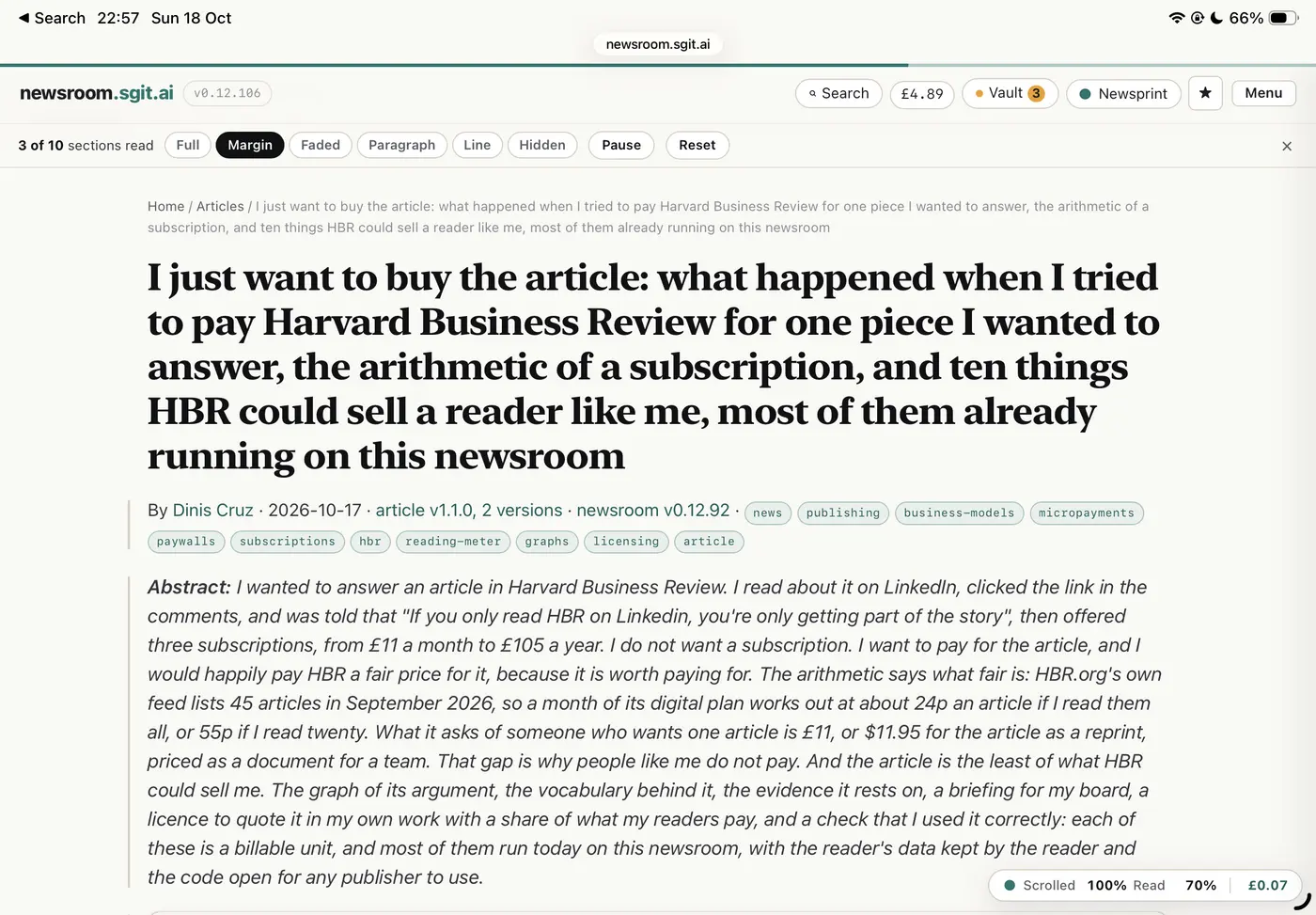
At the top of a page Safari shows its full toolbars: sidebar, back, address field, share, new tab, tabs, and a tab strip (first screenshot; the page starts about 270 px down a 1,640 px screen). Any small scroll down, slow or fast, collapses them to a small address pill (second screenshot; the page starts about 120 px down). Here the page had moved by only a couple of lines of breadcrumb: the article title is still where it was.
Why it works
It is predictable. The trigger is a small distance scrolled, which the reader controls, not the speed of the gesture, so it behaves the same every time and is learned after one or two uses. The collapsed state is small enough to be a fair trade for the space, and getting there costs only a couple of lines of scroll, so the reader never loses their place to reach it.
What it still does not do
It still moves the page: the toolbars collapse as a side effect of scrolling, and the reader would prefer them to stay collapsed without having to move anything. It is a good compromise, not the ideal.
The findings it answers
- UX-058 Whether the toolbars hide depends on how fast you scroll, not how far
- UX-057 The toolbars come back on any small scroll up, taking screen and moving the page
The record
| Product | Safari on iPad, browser |
| Where | https://newsroom.sgit.ai/ (an article page, newsroom v0.12.106) |
| Environment | Safari on an iPad, landscape |
| Demonstrates | The same gesture gives the same result, so it can be learned |
| Recommendation | Make it predictable |
| Observed | 2026-10-18, not recorded |
| Last checked | 2026-10-18, not recorded |
| Source | Reported by Dinis Cruz, 18 Oct 2026, with screenshots |